Intellectual Property: Docket
How to add and manage patent filings, build family chains, and track prosecution status.
Written By Amalia Busch
Last updated 4 months ago
The Docket
The Docket is the central registry of every patent filing tied to your inventions — provisionals, PCTs, nationals, EP applications, and more. It gives you a full view of prosecution status across your entire portfolio.
Navigate to: Home → Intellectual Property → Docket
Add a Patent Filing

Click + New Filing → select Patent → choose a disclosure → select a filing type → fill in details → Create Filing.
Filing types: Provisional, Utility, Design, Plant, PCT, EP, or follow-on types (National Phase, Continuation, CIP, Divisional).
Add Subsequent Filings (PCT, Nationals, EP)
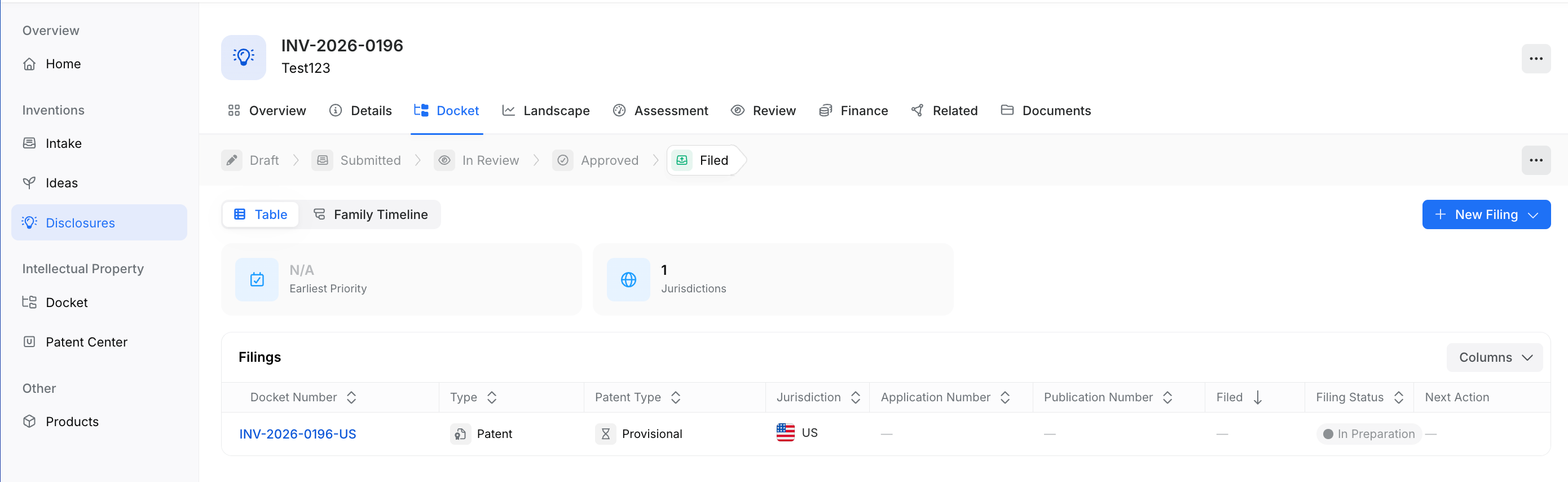
Click + New Filing from the same disclosure or filing family.
Select the filing type (e.g., PCT).
In the Priority Filing field, link back to the parent application to build the family chain.
Click Create.
Tip — Backfilling older filings: Enter them in sequential order (provisional first, then PCT, then nationals) so the priority chain links cleanly.
Tips
The law firm and reference number fields are how LEDES bill files auto-match to filings — set these accurately before uploading bills.
Use the Family tab on any filing to see the full family tree.
Each filing has its own Events tab for tracking prosecution actions and deadlines.
Next Steps
Bills and expenses flow through Finance → Bills. See Finance: Bills, Expenses & Approvals for how to upload and process LEDES invoices.
Was this helpful?