How to Regenerate a Disclosure or an IP Assessment Form
Written By Amalia Busch
Last updated 4 months ago
Overview
After uploading new documents or making changes to your disclosure, you can regenerate the Disclosure form or the IP Assessment Report to reflect the latest information.
Steps
1. Upload New Documents (if needed)
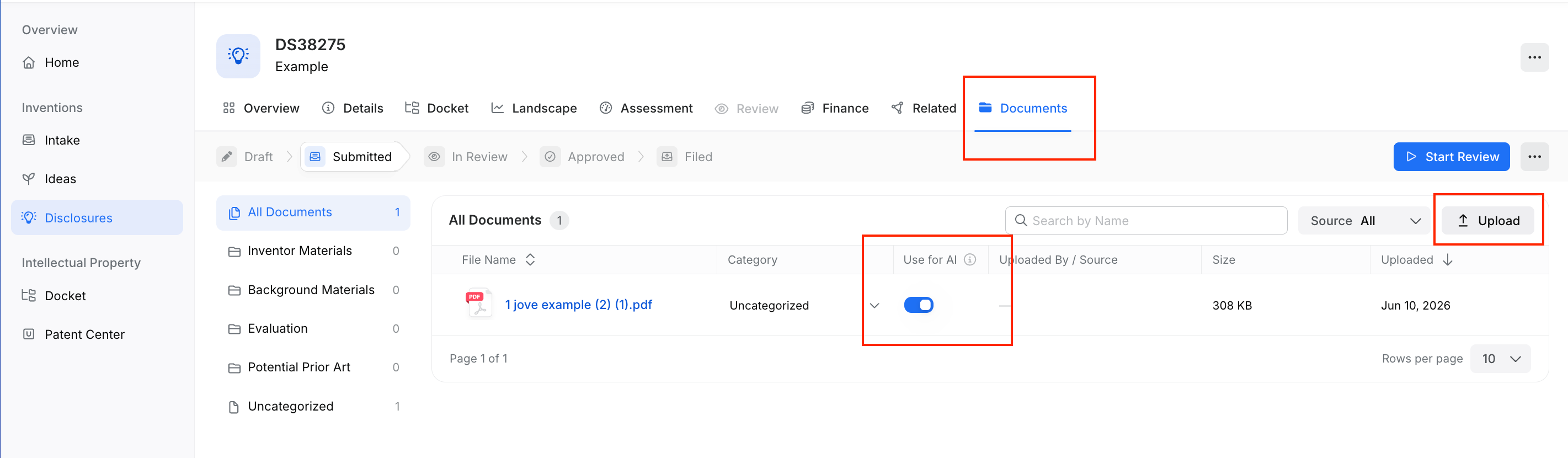
Navigate to the Documents tab on your disclosure.
Click Upload to add any new files.
Once uploaded, toggle Use for AI on for each document you want included in the assessment.
2. Regenerate the Assessment Report
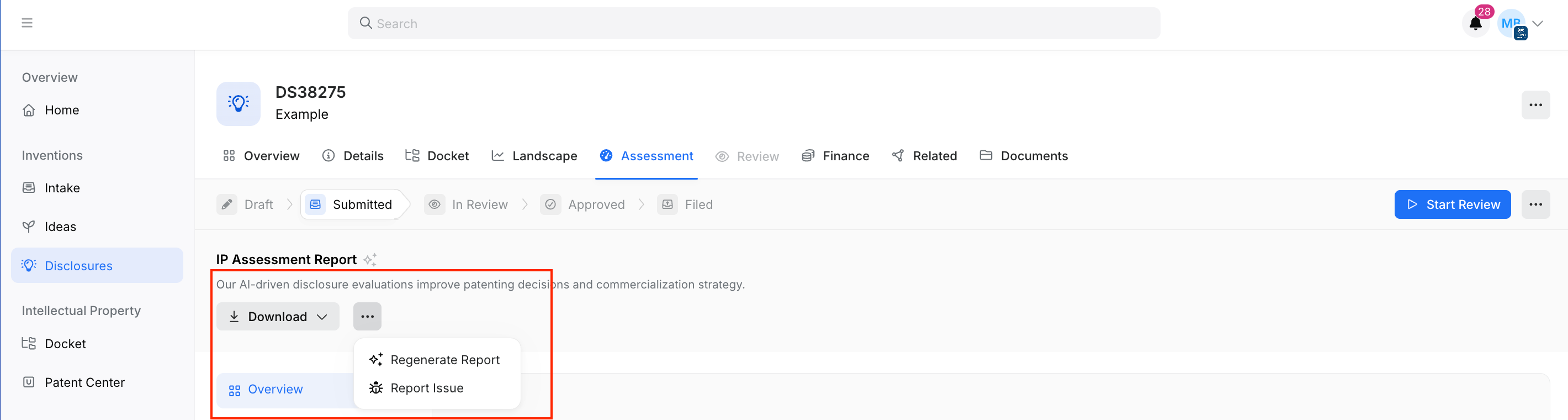
Go to the Assessment tab.
Click the ... (more options) button next to the Download button.
Select Regenerate Report.
The platform will reprocess all AI-enabled documents and produce an updated IP Assessment Report.
3. Regenerate the Disclosure Form
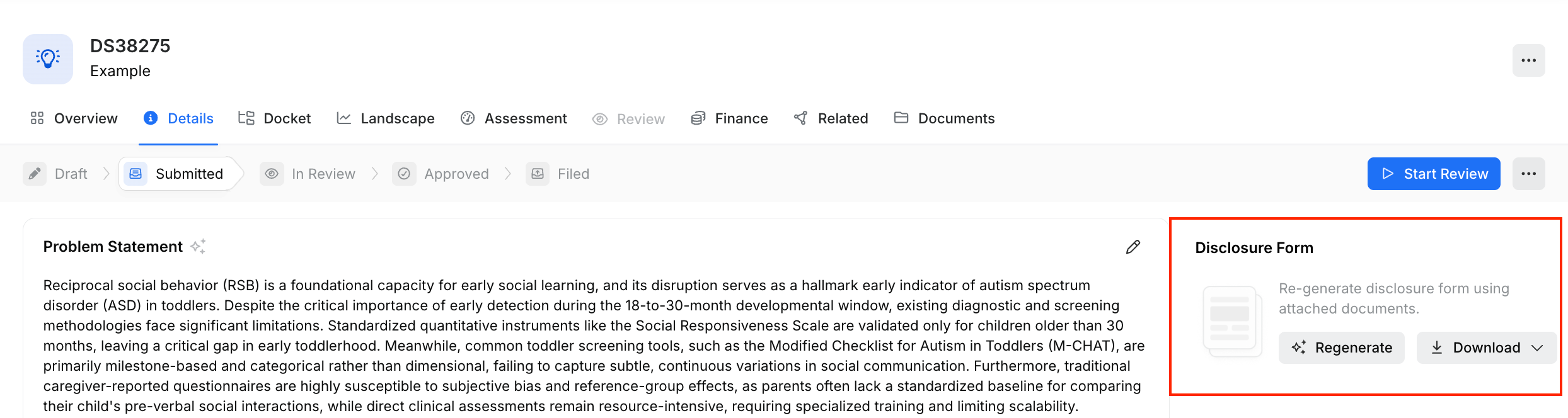
Go to the Overview tab.
Select Regenerate on the right hand side under “Disclosure Form”
Before You Regenerate
Note: Tradespace does not currently support version history for disclosure or assessment reports. If you want to keep a record of the original report, download it before regenerating.
To download: click the Download button next to regenerate.
Was this helpful?