Platform Overview: How the Platform is Organized
A quick map of Tradespace's four areas and how they connect.
Written By Amalia Busch
Last updated 4 months ago
Tradespace is organized into 5 areas accessed from the left sidebar. Understanding this layout makes every other part of the platform easier to navigate.
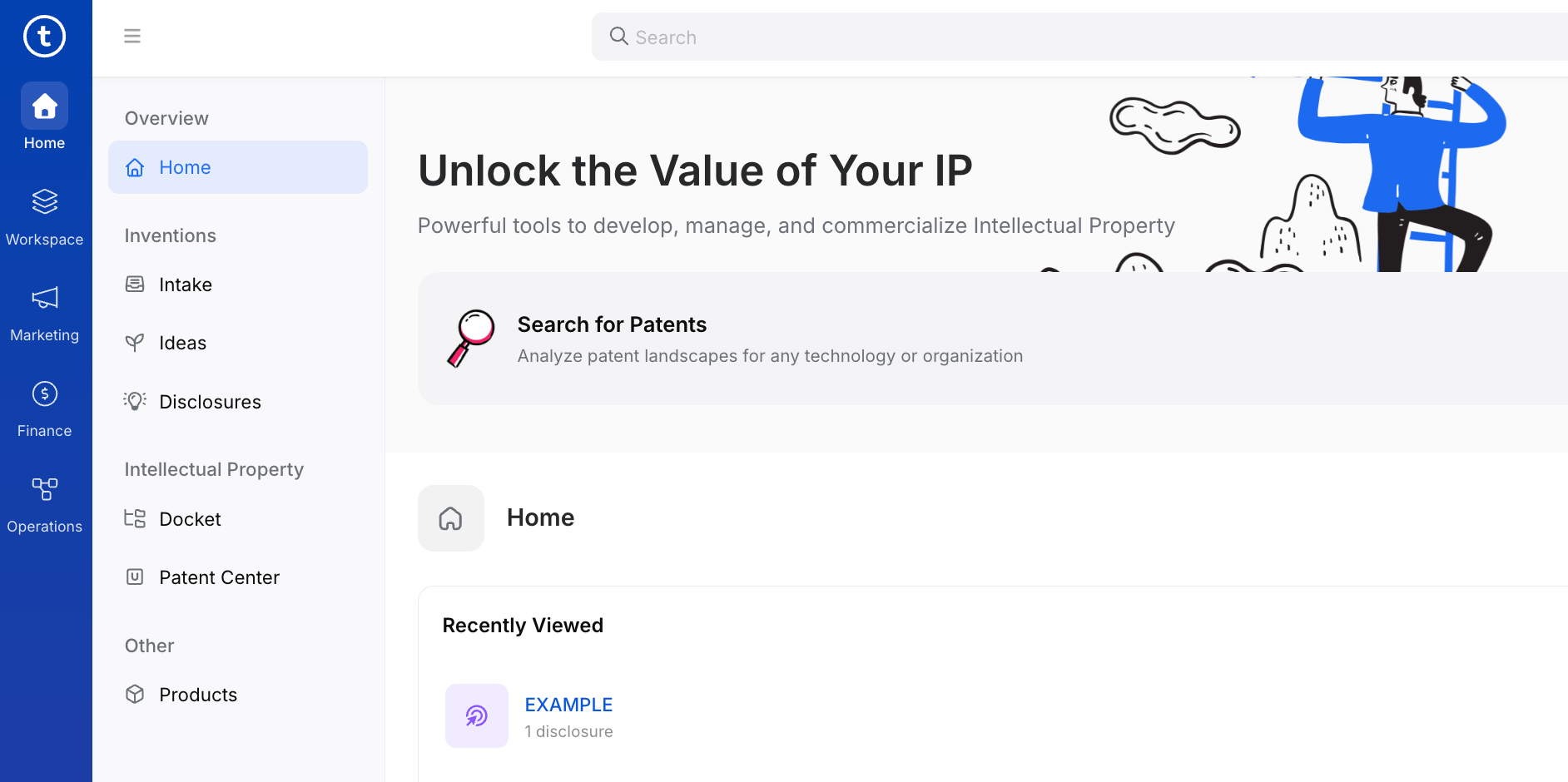
Home is where active IP work lives — inventions moving through intake and review, and your patent docket. Sub-sections: Inventions (Intake, Ideas, Disclosures) and Intellectual Property (Docket, Patent Center).
Workspace covers project management and research tools. Sub-sections: My Work, Tasks, My Approvals, Patent Search, Compare, Technologies.
Marketing is for identifying potential licensees, finding contact details, building non-confidential technology summaries, and publishing to the global marketplace.
Finance tracks all money in and out. Sub-sections: Invoices, Receivables, Payments (money in); Bills, Expenses, Approvals, Distributions, Vendors (money out); IP Policy and Expense Types (admin).
Operations houses supporting records and compliance workflows: Grants, iEdison, Agreements, Contacts, Organizations, Groups, Emails, Datasets, Exports.
Navigation Tips
A persistent search bar at the top of every page lets you jump directly to any record by name or number. Breadcrumbs at the top of each record let you navigate up the family tree. Tabs on each record (Overview, Events, Family, Finance, Related, Documents) keep all related views one click apart.
Was this helpful?