Tradespace Quick Start Guide
New to Tradespace? Start here.
Written By Amalia Busch
Last updated 5 months ago
1) Get set up
Check for an email invite from Tradespace to set your password.
Sign in at app.tradespace.io.
Explore the left navigation bar. Hover over an item to see its modules.
2) Create your first Invention Disclosure
Go to Home → Disclosures, then select + New Disclosure.
Enter a clear Title.
Upload a File with details about the invention, then Continue.
Accepts docs like PPT, PDF, Word, text, audio file, audio transcript, etc.
On the Questions page, fill the required field:
Contributors → Select or + Create New Contact
You can fill out the other fields in the disclosure form if needed
Click Continue to generate the draft disclosure, review, then Submit.
It can take a few minutes to generate. If you leave, find drafts under Home → Intake.
3) Evaluate a disclosure
Open the disclosure from Home → Disclosures.
Click Assessment in the disclosure’s sub‑menu.
Note - the Assessment sometimes takes a minute or two to populate once a new disclosure is created
Review the assessment to inform your protection or commercialization decision.
4) Build a licensing campaign
In your chosen disclosure, open Overview.
Under Opportunities, click Add → + New Opportunity, open it.
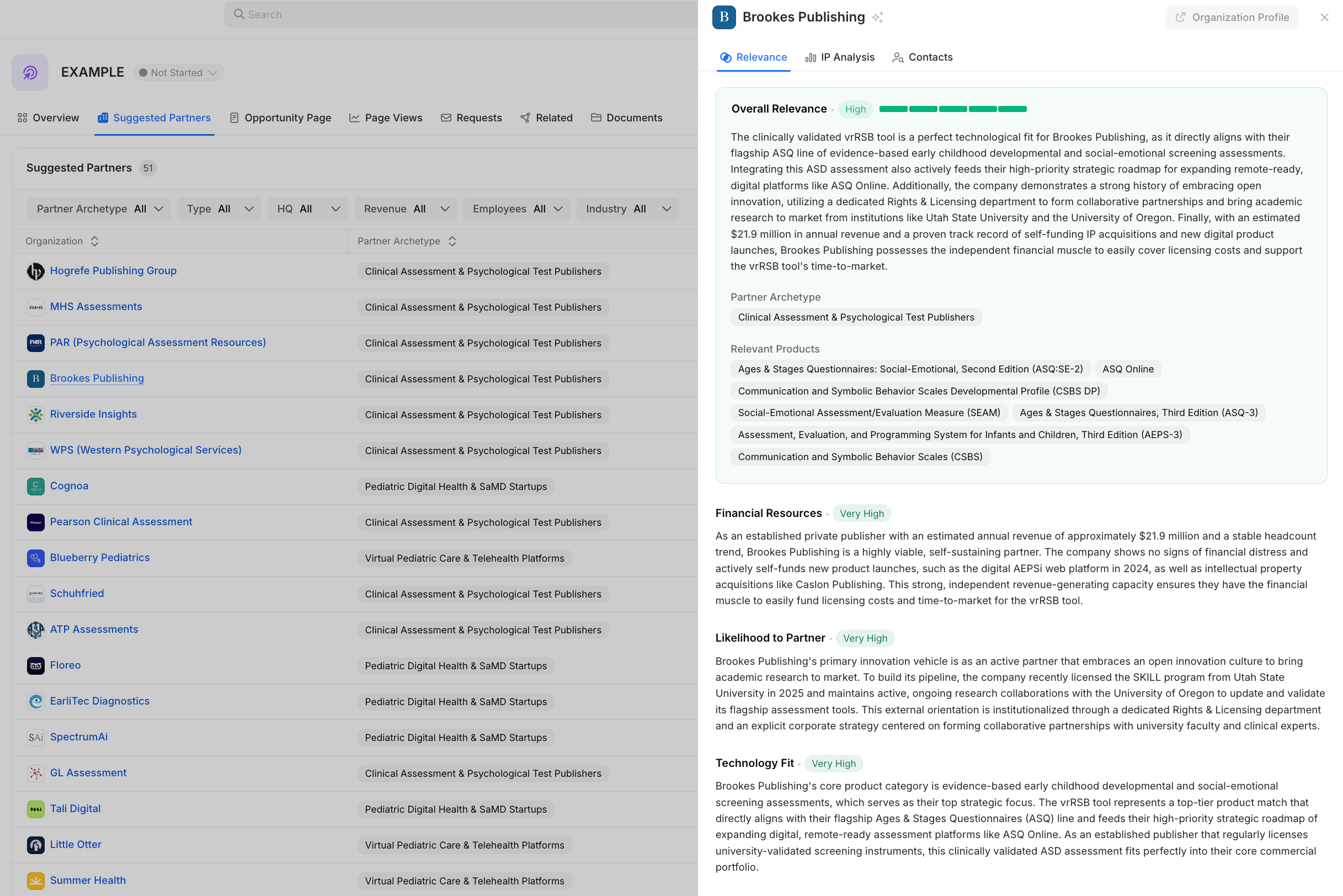
Go to Suggested Partners to review potential targets.
Click on a company to access understand its Relevance. From there you’ll get a detailed analysis on fit based on financial resources, likelihood to partner, and technology fit.
💡Tip: For potential partners for each technology use case, refer to the Market section of the IP Assessment Report. Add selected companies via Add to Outreach List.
Add selected companies via Add to Outreach List.
Return to Overview to see your Outreach List.
Click a company, then scroll to Available Contacts. Use Request Contact to obtain contact info.
Create a shareable marketing summary:
Opportunity Page → Auto‑Generate Content.
Use Opportunity Page Access to generate a shareable link and publish it on the marketplace.
Help and resources
Reach your Customer Success contact for onboarding support and questions
Leverage the internal help button for questions

Was this helpful?